
Review · HOLLYWOOD & WALK OF FAME TOURS
Hollywood Fame & Celebrity Homes Self-Guided Audio Bundle Tour
Hollywood looks best from the driver’s seat. This self-guided celebrity homes audio bundle turns LA into a do-it-your-way road trip with background stories as you pass landmarks. You get a practical route, an offline map, and narration that helps you connect names to streets.
What I like most is the flexibility: you can start anytime, pause for photos, and skip anything that feels pointless. I also like that the audio is mostly hands-free, playing based on your location so you do not have to keep tapping through menus while you drive.
The main thing to consider is that visibility is not guaranteed. A lot of famous homes sit behind gates, trees, and private roads, and the experience can feel a bit “drive-and-listen” rather than “spot-and-stare,” especially if you want constant street-level views.
In This Review
- Quick take: what matters most on this tour
- Price and what you actually get for $16.99
- Start at Sunset Blvd, end at the Hollywood Sign
- How the offline audio guide works (and why download time matters)
- Driving audio setup: phone, car stereo, Bluetooth, and CarPlay
- The Hollywood-to-Bel Air route: a big sweep with lots of story stops
- Stop on Hollywood Boulevard: the celebrity-home zone you’ll keep passing
- Michael Jackson’s final home story: why the audio hits harder than sightseeing
- Rodeo Drive and Beverly Hills: beautiful streets, limited views, real privacy
- Hollywood Hills photo finish at the Hollywood Sign
- Timing, pacing, and how to avoid the most common frustration
- Is it worth it for your group?
- Should you book Hollywood Fame & Celebrity Homes audio?
- FAQ
- How long does the Hollywood Fame & Celebrity Homes tour take?
- How much does the tour cost?
- Is this a guided tour with a person meeting you?
- Where do I start the tour?
- Where does the tour end?
- Does the tour work without cell service?
- How do I access the tour after booking?
- Do I need to keep tapping the phone while I drive?
- How do I play the audio in my car?
- Can I pause the tour and start again later?
Quick take: what matters most on this tour
- Offline maps and audio mean you can keep going even with weak or no signal.
- Hands-free narration plays as you approach each story point, so you stay focused on the road.
- A lot of ground: a route over 27 miles with 40+ audio stories takes longer than the quick estimate.
- Celebrity privacy is real: expect gates, bushes, and limited views at some stops.
- Phone setup is the make-or-break step: download before you leave, or you may hit app frustration.
More ways to walk Hollywood Boulevard and the Walk of Fame
- Full-Day Iconic Sights of LA, Hollywood, Beverly Hills, Beaches and More★ 5.0 · 6,147 reviews
- Warner Bros. Studio Tour Hollywood★ 4.5 · 5,246 reviews
- Hollywood, Beverly Hills & Celebrity Homes Tour by Open Air Bus★ 5.0 · 2,557 reviews
Price and what you actually get for $16.99
At $16.99 per group (up to four people), this is priced like a budget-friendly day of LA sightseeing that you share. That matters because a lot of LA “tours” charge per person, which gets pricey fast if you’re traveling as a family or with friends. Here, you’re buying one guided audio experience for the whole car.
It’s also good value because you’re not just getting generic commentary. The route is built around a dense set of story stops, with 40+ audio stories and a drive of over 27 miles. Even if you only catch half the narration, you’re still getting a structured way to see Hollywood, Bel Air-adjacent areas, Beverly Hills, and the Hollywood Hills from a car.
One tradeoff with low-cost DIY tours: you’re responsible for setup and navigation. If your phone hates the outdoors or you did not download properly, the experience can turn into troubleshooting. If you do the prep, the payoff is a relaxed LA drive where you don’t have to follow anyone else’s pace.
Start at Sunset Blvd, end at the Hollywood Sign
You begin at 7138 Sunset Blvd, Los Angeles, CA 90046. There’s no host meeting you there, so you’ll want your car ready to roll and your phone already set up to play the tour. When you arrive, you essentially drop into the first story point and let the tour guide you onward with route guidance and audio cues.
The tour ends at the Hollywood Sign area at Los Angeles, CA 90068. That finish matters because you’re not stopping just to say you saw the sign—you’re wrapping up with a classic LA photo target and a short history moment.
If you’re planning your day, think of this as a drive-first experience rather than a strict “park-and-walk” outing. You can still stop for pictures, but the core value comes from using the car to link neighborhoods and homes as the stories roll.
How the offline audio guide works (and why download time matters)
This tour is built around an app experience from Action using Action’s Tour Guide App. After booking, you get an email and text with setup instructions and a password. You search for audio tour in your messages, enter the password in the app, then download the tour content.
Here’s the key practical rule: download while you’re on strong Wi‑Fi or cellular. The tour is designed to work offline after that, but there’s almost no signal in many parts of LA where you’ll be driving. If you skip the download step, you can end up stuck at exactly the moment the audio should start.
Once you launch the correct tour version on-site, you follow the first story’s point and audio starts automatically. The narration is hands-free, playing on its own based on your location. You can also pause and resume whenever you like, which is handy when traffic slows or you want a quick stretch.
Driving audio setup: phone, car stereo, Bluetooth, and CarPlay
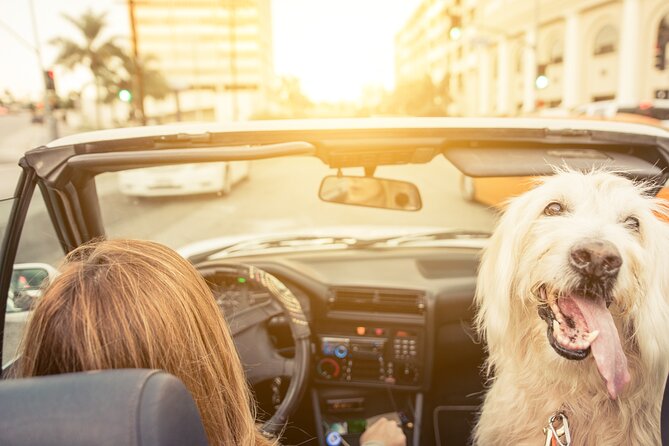
You’ll get the best experience by piping audio through your car sound system. The tour supports connecting your phone via Bluetooth, USB, or AUX, and it’s compatible with Apple CarPlay (with navigation features coming later). If you’re driving in a modern rental, this is usually a painless setup.
If you prefer not to use car speakers, headphones can be useful for walking segments. Since this is primarily a self-guided drive, the real goal is reducing phone handling.
Also, plan for real-world distractions. One frustrating pattern with self-guided audio tours is when the driver keeps switching between app screens and map directions. If possible, have a passenger manage the app or keep the phone mounted and let the audio run while the driver uses GPS for traffic safety.
Still chasing the stars? More celebrity-home drives in Los Angeles
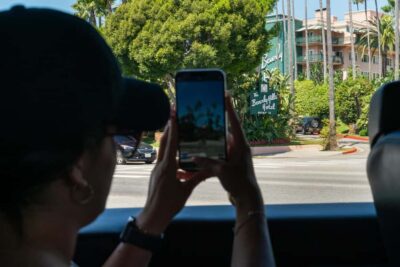
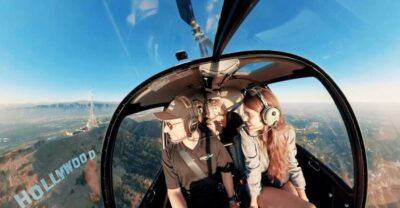
The Hollywood-to-Bel Air route: a big sweep with lots of story stops
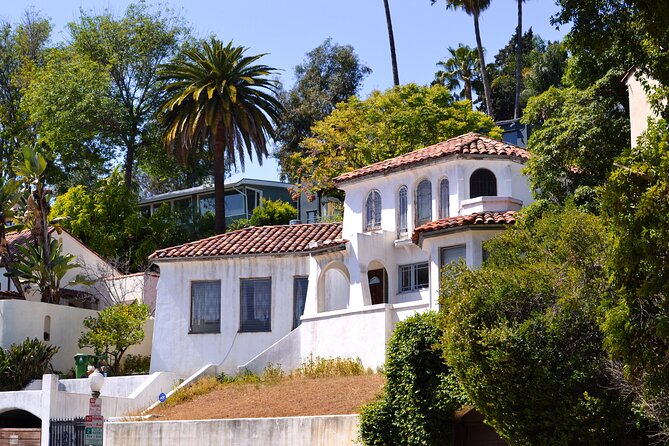
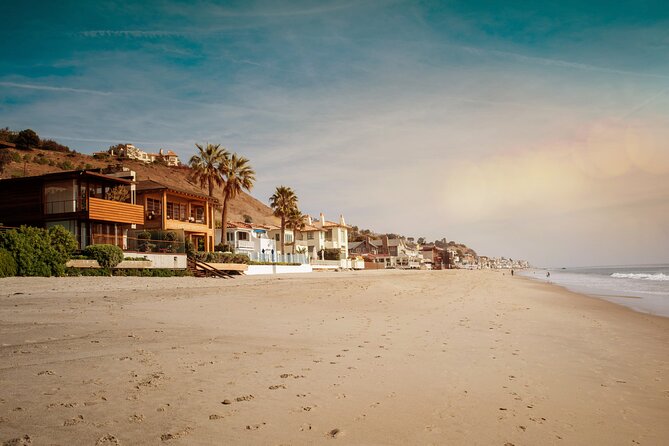
This tour’s highlight is how it strings together multiple famous areas into one continuous LA drive. The route runs from the Sunset Strip area toward Bel Air, then loops through the celebrity corridor you’d recognize from your mental map: Rodeo Drive, Beverly Hills, and Hollywood Hills.
The tour is listed as about 2 to 3 hours, but it also notes the full route takes closer to 3 to 4 hours because it covers more than 27 miles and includes 40+ stories. For planning, I’d budget the longer time. If you try to force it into a quick afternoon, you’ll likely feel rushed or want to quit early.
What makes this route work is the pacing choice. You are not waiting for a group to regroup at each corner. The audio cues tell you when a story is coming, and you decide whether to pull over for a quick look or just listen while rolling past.
The drawback is that LA roads and neighborhood entrances can be less “tourist-friendly” than a central museum district. Some locations may be hard to find or may be view-limited by walls, landscaping, or gates. That’s not a failure of the tour—it’s how privacy works in these neighborhoods.
Stop on Hollywood Boulevard: the celebrity-home zone you’ll keep passing
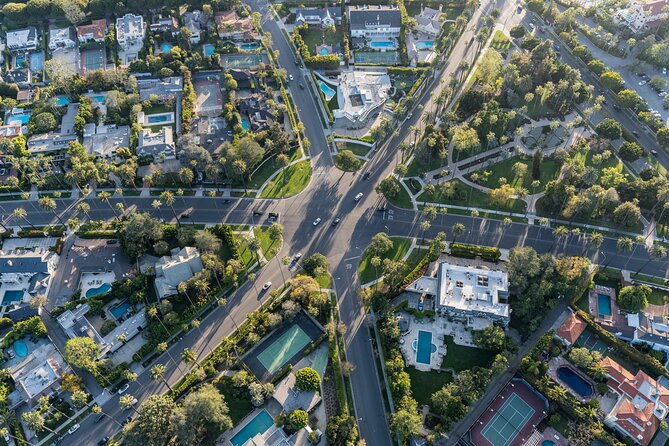
Your tour begins around Hollywood Boulevard, which sets you up for the rest of the day. This is where you’re likely to recognize the overall Hollywood vibe quickly: busy signage, famous intersections, and the feeling that you’re driving through an LA story you already know.
From there, you’re guided through a sequence of homes and points of interest tied to famous occupants. The tour’s narration is meant to give context, so you’re not just staring at rooftops and driveway angles—you’re connecting names to locations and eras.
One practical tip: when the app tells you you’re approaching a story stop, use that as a trigger to slow down and check where you are. Even if you cannot get a perfect view, you’ll still get the content, and that’s where the “value per mile” really shows.
Michael Jackson’s final home story: why the audio hits harder than sightseeing
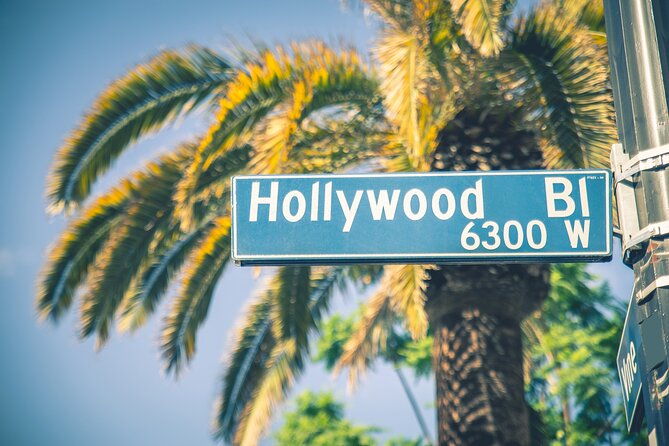
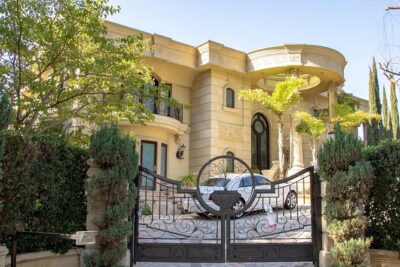
One of the standout story points is a huge white mansion tied to Michael Jackson, where he spent his final years. Before controversy, he was arguably one of the best-known public figures on Earth, and the audio story is designed to frame that fame within what you’re seeing from the road.
This is the kind of stop that’s perfect for an audio tour. If you’re expecting to park in front of a gate and “tour” the property, you may feel disappointed. But if you’re open to the idea that LA celebrity culture is mostly visible from public streets, the narration provides what the street view can’t: story, context, and the emotional weight of the place.
If you want the most out of this stop, listen while you approach rather than saving it for later. The audio is tied to location, and it tends to land better when you’re watching the neighborhood change around you.
Rodeo Drive and Beverly Hills: beautiful streets, limited views, real privacy
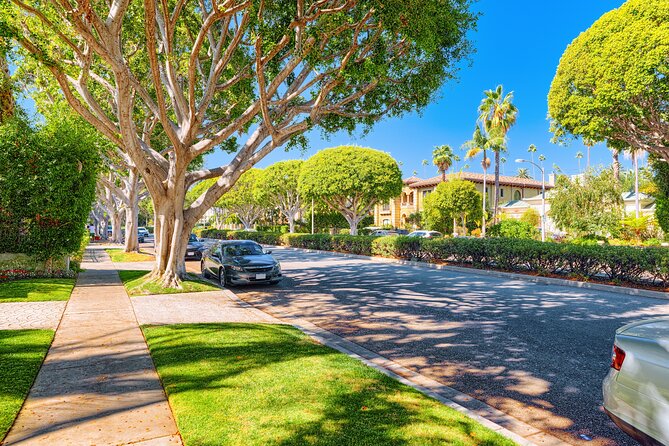
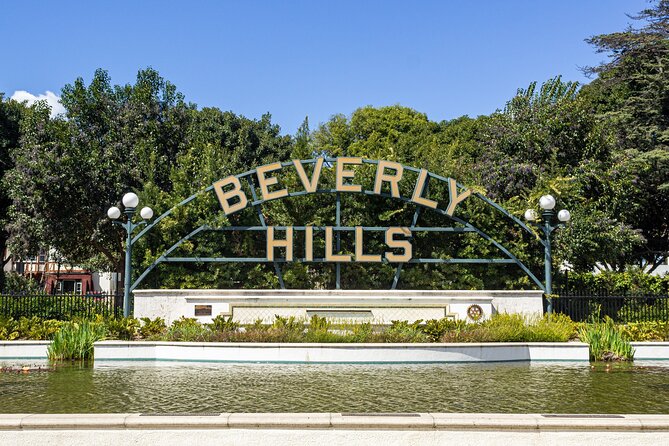
As you move into Rodeo Drive and Beverly Hills, expect the scenery to look expensive even when you can’t see much. This is where many houses are set back, and privacy features like hedges and walls can turn “what’s famous” into “what’s behind a boundary.”
This is not only normal—it’s part of the experience. Celebrity homes aren’t open-air sets; a lot of the time you’ll be seeing driveway entries, distant angles, or only parts of a property. If your goal is constant, unobstructed views, you might feel let down.
Where the tour can still work well is in the drive-by rhythm. The narration helps you identify what you’re passing, and you can treat each stop like a chapter: you catch the story even if the view is partial. When you do find an angle with a clear sight line, it feels more rewarding because it’s not guaranteed every time.
Hollywood Hills photo finish at the Hollywood Sign
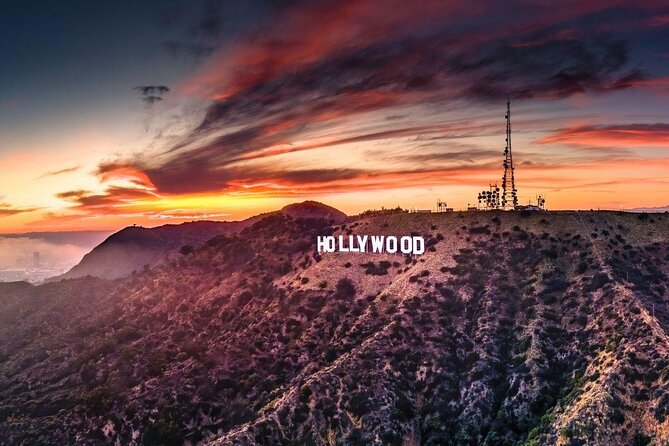
The last stop is the Hollywood Sign, and it’s a classic way to end an LA road trip. The audio guide includes some little-known history about the sign, plus you get sweeping views of the city below that are ideal for photos.
This is also where a self-guided approach can help. If you arrive around golden hour, you’ll likely get better light and more dramatic city contrast. If you arrive at dusk, the mood can be great too, especially if you’re flexible about where you park and when you take pictures.
Use this finish as your “wrap up” moment. You’ll likely feel a little less rushed here than earlier in the day because the sign acts like a natural destination. It’s a good place to stop, check your photos, and decide whether you want to keep exploring on your own afterward.
Timing, pacing, and how to avoid the most common frustration
This tour is simple in theory: download, open the app, follow the route, listen to stories. In real life, the friction usually shows up in three spots: setup, phone handling, and expectations about visibility.
First, do the download with strong Wi‑Fi/cellular before you go. The app is designed to work offline after download, and LA signal gaps are part of the environment. Second, plan how you’ll manage your phone while driving. If it’s just you and one passenger, have a clear plan: who listens, who touches the screen, and who does the quick checks.
Third, accept the privacy reality. Some homes may be behind gates or obscured. That can make certain stops feel like you’re watching a wall instead of a mansion. The narration is what keeps those moments from going flat.
If you want to stay on track, follow the tour route and speed limit. That sounds obvious, but it matters because the tour’s audio cues depend on you being near the intended points.
Is it worth it for your group?
This tour tends to fit best if you:
- Want a structured LA drive without paying per person for a guided bus
- Prefer to move at your own pace rather than waiting around for others
- Like background stories tied to places you pass
- Have a passenger who can help if the app map takes focus
It may be a weaker fit if you:
- Want to see celebrity homes with frequent close-up views
- Get frustrated with app navigation or maps
- Plan to drive without any passenger assistance while juggling your phone
A smart way to think about it: you’re not buying access to the celebrity properties. You’re buying a guided narrative road trip through the areas where those properties exist.
Should you book Hollywood Fame & Celebrity Homes audio?
Book it if you want an affordable, flexible way to connect Hollywood neighborhoods into one day of storytelling. The combination of offline maps, hands-free audio, and a per-car price makes it easy to justify—especially if you’re sharing with up to four people.
Skip or reconsider if you know you’ll need constant street-level visibility or you dislike app-based self-navigation. The setup matters, and the route can take 3 to 4 hours for the full experience, so you’ll want a day that can breathe.
If you do book, do two things and you’ll set yourself up for success: download the tour content before leaving home, and assign one person to handle app details while driving stays simple.
FAQ
How long does the Hollywood Fame & Celebrity Homes tour take?
It’s listed as about 2 to 3 hours, but the full route is noted as taking about 3 to 4 hours because it runs over 27 miles and includes 40+ audio stories.
How much does the tour cost?
The price is $16.99 per group for up to four people.
Is this a guided tour with a person meeting you?
No. It’s self-guided, and no one meets you at the start point.
Where do I start the tour?
Start at 7138 Sunset Blvd, Los Angeles, CA 90046, USA.
Where does the tour end?
It ends at the Hollywood Sign area in Los Angeles, CA 90068, USA.
Does the tour work without cell service?
Yes. It includes offline maps, and after you download the tour content while you have strong Wi‑Fi or cellular, it works offline.
How do I access the tour after booking?
After booking, you’ll receive an email and text with setup instructions and a password. Then you download Action’s separate audio tour app and enter the password.
Do I need to keep tapping the phone while I drive?
Not ideally. Audio stories play on their own based on your location, and the tour is designed to be hands-free once started.
How do I play the audio in my car?
You can connect your phone to your car stereo system using Bluetooth, USB, or AUX. It’s compatible with Apple CarPlay (Android Auto support is listed as coming soon).
Can I pause the tour and start again later?
Yes. You can start anytime and pause anywhere during your touring time, and the access is lifetime with no expiry.
More Tour Reviews in Los Angeles
- Full-Day Iconic Sights of LA, Hollywood, Beverly Hills, Beaches and More
★ 5.0 · 6,147 reviews - Warner Bros. Studio Tour Hollywood
★ 4.5 · 5,246 reviews - Hollywood, Beverly Hills & Celebrity Homes Tour by Open Air Bus
★ 5.0 · 2,557 reviews - Hollywood Sign 2.5-Hour Tour with Comedians and Their Dogs
★ 5.0 · 2,496 reviews - Full-Day LA Tour: Santa Monica, Hollywood and Beverly Hills
★ 5.0 · 2,431 reviews
Still Star-Spotting in Los Angeles
- Hollywood, Beverly Hills & Celebrity Homes Tour by Open Air Bus
★ 5.0 · 2,557 reviews - Hollywood and Celebrity Homes Bus Tour
★ 4.5 · 2,074 reviews - Los Angeles: Hollywood & Celebrity Homes Open-Air Bus Tour
★ 4.1 · 1,624 reviews - Los Angeles: Celebrity Homes and Hollywood Open-Air Bus Tour
★ 4.5 · 1,546 reviews - Hollywood & Beverly Hills Celebrity Helicopter Tour
★ 4.9 · 835 reviews
Hollywood Boulevard, A Few More Ways
- Full-Day Iconic Sights of LA, Hollywood, Beverly Hills, Beaches and More
★ 5.0 · 6,147 reviews - Warner Bros. Studio Tour Hollywood
★ 4.5 · 5,246 reviews - Hollywood, Beverly Hills & Celebrity Homes Tour by Open Air Bus
★ 5.0 · 2,557 reviews - Hollywood Sign 2.5-Hour Tour with Comedians and Their Dogs
★ 5.0 · 2,496 reviews - Full-Day LA Tour: Santa Monica, Hollywood and Beverly Hills
★ 5.0 · 2,431 reviews
Keep exploring Los Angeles: fresh reviews from around town




Hollywood & Walk of Fame Tours, compared.
 ★ 5.0Full-Day Iconic Sights of LA, Hollywood, Beverly Hills, Beaches and MoreFrom $996,147 reviews
 ★ 4.5Warner Bros. Studio Tour HollywoodFrom $765,246 reviews
 ★ 5.0Hollywood, Beverly Hills & Celebrity Homes Tour by Open Air BusFrom $392,557 reviews
 ★ 5.0Hollywood Sign 2.5-Hour Tour with Comedians and Their DogsFrom $152,496 reviews
 ★ 5.0Full-Day LA Tour: Santa Monica, Hollywood and Beverly HillsFrom $952,431 reviews
 ★ 4.5Hollywood and Celebrity Homes Bus TourFrom $392,074 reviews
 ★ 4.5Hollywood Open Bus ToursFrom $301,801 reviews
 ★ 4.1Hollywood & Celebrity Homes Open-Air Bus TourFrom $291,624 reviews
Browse the lists this tour appears in